README.md
browsing at commit = d7023ec2987e84bae041adfbe32a81b42f29e467
# Sago's Multi Scrambler Puzzle II
A puzzle game featuring different kind of puzzles.
## Screenshot
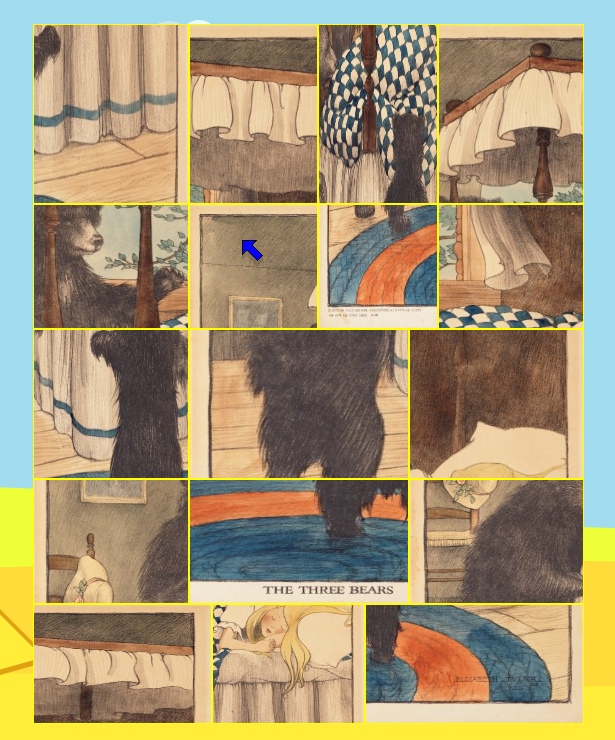
## Building
```
cmake .
make
```
## Run
Currently an image must be given on the command line like so:
```
./sago_multi_scrambler_puzzle2 [JPG_OR_PNG_IMAGE]
```
```
./sago_multi_scrambler_puzzle2 data/collections/fairy_tales/The\ Three\ Bears\ \(1918\).jpg
```
## Desktop Integration
### Adding "Open with Sago Multi Scrambler Puzzle II" to Context Menu
#### Linux (GNOME/Nautilus, KDE/Dolphin, etc.)
1. **Create a desktop entry file:**
Create the file `~/.local/share/applications/sago-multi-scrambler-puzzle2.desktop`:
```ini
[Desktop Entry]
Version=1.0
Type=Application
Name=Sago Multi Scrambler Puzzle II
Comment=Image scrambling puzzle game
Exec=/full/path/to/sago_multi_scrambler_puzzle2 %f
Icon=/full/path/to/icon.png
Terminal=false
Categories=Game;LogicGame;
MimeType=image/jpeg;image/png;image/jpg;
```
Replace `/full/path/to/sago_multi_scrambler_puzzle2` with the actual path to the executable.
2. **Update the desktop database:**
```bash
update-desktop-database ~/.local/share/applications/
```
After this, right-clicking on an image file should show "Open With → Sago Multi Scrambler Puzzle II" in the context menu.
#### Windows
1. **Create a registry file** `sago-context-menu.reg`:
```reg
Windows Registry Editor Version 5.00
[HKEY_CLASSES_ROOT\SystemFileAssociations\image\shell\SagoMultiScramblerPuzzle]
@="Open with Sago Multi Scrambler Puzzle II"
"Icon"="C:\\path\\to\\sago_multi_scrambler_puzzle2.exe"
[HKEY_CLASSES_ROOT\SystemFileAssociations\image\shell\SagoMultiScramblerPuzzle\command]
@="\"C:\\path\\to\\sago_multi_scrambler_puzzle2.exe\" \"%1\""
```
Replace `C:\\path\\to\\` with the actual path to the executable.
2. **Import the registry file:**
Double-click the `.reg` file and confirm the import.
3. **To remove later** (create `sago-context-menu-remove.reg`):
```reg
Windows Registry Editor Version 5.00
[-HKEY_CLASSES_ROOT\SystemFileAssociations\image\shell\SagoMultiScramblerPuzzle]
```
After this, right-clicking on an image file will show "Open with Sago Multi Scrambler Puzzle II" in the context menu.